How to Share Your Outdoor Adventures Through Better Travel Videos
Whether you’re heading out for a fishing trip, cruising across a lake, exploring a coastline, or spending a weekend kayaking through quiet waterways, outdoor adventures create memories worth sharing. The challenge is capturing those moments in a way that makes people feel like they were there with you.
Many boaters experience the same problem after returning home: the incredible sunset over the water looks ordinary on a phone screen, the sound of waves gets lost in background noise, and the excitement of the trip doesn’t fully come through.
The good news is that you don’t need expensive cameras or professional equipment to create engaging adventure videos. With a few simple filming habits, thoughtful editing, and a focus on storytelling, you can turn everyday boating trips into videos people actually want to watch.
Think About the Story Before Leaving the Dock
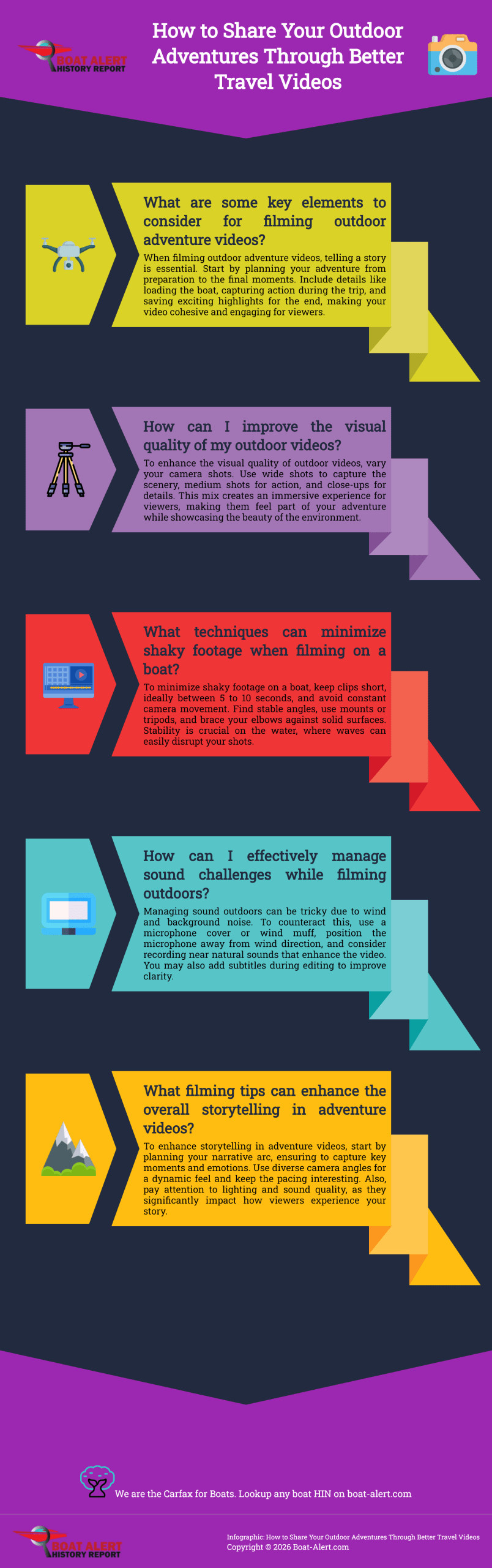
Great outdoor videos are not just collections of random clips. They tell a story.
Before you start filming, think about the journey you want to capture. Follow the entire adventure from preparation to the final moment.
Start with the details before the trip begins:
- Loading equipment onto the boat
- Preparing fishing gear
- Checking safety equipment
- Launching from the dock
- Getting the boat ready for the water
During the adventure, capture the moments that show the experience:
- Cruising across open water
- Reeling in a catch
- Exploring a hidden shoreline
- Watching wildlife nearby
- Enjoying time with family and friends
Save the biggest moments for the end, whether that is reaching a favorite fishing spot, watching the sunset from the boat, or arriving at a beautiful destination.
Change Your Camera Distance
- One of the easiest ways to make outdoor videos more interesting is to vary your shots.
- Wide shots:
Show the entire scene. Capture the boat on the water, a beautiful coastline, or a peaceful lake surrounded by nature. - Medium shots:
Show the action. Film yourself steering the boat, preparing equipment, paddling, or spending time with passengers. - Close-up shots:
Capture the small details that make the adventure memorable, such as fishing lures, ropes being tied, water moving against the boat, marine equipment, or a freshly caught fish. - A mix of different perspectives makes viewers feel like they are experiencing the trip themselves.
Keep Your Camera Steady
Shaky footage can make even the most beautiful location difficult to watch.
Try these simple techniques:
- Keep individual clips around 5 to 10 seconds.
- Avoid constantly moving the camera.
- Find a good angle and allow the action to happen naturally.
- Use a small tripod or phone mount when possible.
If you’re filming from a boat, stability becomes even more important because waves and movement can easily create distracting footage.
Here’s a quick-reference table pulling together the technical fixes from the article — useful as something readers can screenshot before a trip:
| Problem | Cause | Quick Fix |
|---|---|---|
| Washed-out water shots | Sun glare off the surface | Add a polarizing filter |
| Shaky, hard-to-watch footage | Handheld filming on a moving boat | Use a suction mount or rail clamp |
| Dropped or soaked phone | No case, slick wet hands | Floating case + wrist strap |
| Muddy, buried dialogue | Engine/motor noise | Cut the engine when possible, film near the bow |
| Wind roar drowning out audio | Mic exposed to open air | Wind muff or mic cover |
| Video looks fine but audio is unusable | No plan for background noise | Add subtitles in editing so sound isn’t essential |
| Footage too shaky to fix later | No stabilization at capture | Keep clips 5–10 sec, brace elbows or use a tripod |
| Wrong format for the platform | Filmed without an end goal in mind | Vertical/1080p for social, horizontal/4K for YouTube |
| Fast action looks blurry or too quick | Standard frame rate | Shoot 60fps+ for jumps, catches, or splashes |
| Overwhelmed by editing software | Assuming you need “pro” tools | Start with CapCut or iMovie, graduate to DaVinci Resolve if needed |
| Batteries dying fast on cold-weather trips | Cold drains battery charge | Keep spares in an inside jacket pocket |
| Blurry or spotted shots | Dust, water spray, fingerprints on lens | Wipe lens with a microfiber cloth regularly |
Handling Sunlight, Wind, and Outdoor Sounds
Nature provides amazing backgrounds, but outdoor environments can also create filming challenges.
Make the Most of Natural Light
Golden hour:
Early morning and late afternoon provide softer light that makes water, boats, and landscapes look more dramatic.
Midday sun:
Bright overhead sunlight can create harsh shadows. Adjust your position or use shade when filming people.
Cloudy weather:
Overcast skies create soft lighting that works well for fishing trips, coastal exploration, and scenic shots.
Reduce Wind and Background Noise
Wind is one of the biggest problems when recording outdoor videos.
Try these tips:
- Use a microphone cover or wind muff.
- Move closer when recording conversations.
- Avoid pointing your microphone directly into strong wind.
- Keep natural sounds like waves and wildlife when they add to the experience.
Adding light background music can also improve the mood, but it should complement the adventure rather than overpower it.
Simple Editing Tricks That Keep People Watching
Editing is where your raw footage becomes a complete adventure story. You don’t need complicated software to create better videos.
Start by removing clips that do not add anything to the story. Long periods of empty water or repeated shots can make viewers lose interest.
Match your editing style to the adventure:
- Fast cuts work well for exciting moments like water sports, racing, or action-packed fishing.
- Slower transitions work better for relaxing cruises, scenic views, and peaceful mornings on the water.
Many people watch videos without sound, especially on social media. Adding subtitles can help viewers understand your story even when audio is turned off.
You can also improve your visuals by preparing photos and graphics for your videos. For example, converting images into different formats can help when creating thumbnails, travel guides, maps, or social media graphics. A JPG to PNG converter can make it easier to prepare images for editing projects and digital content.
Getting the Right Footage for the Water
Boats create filming problems that don’t come up on land, so it helps to plan for a few of them before you leave the dock.
Fighting Glare
Water reflects sunlight in a way that can wash out an entire shot. A polarizing filter for your phone or action camera cuts that glare dramatically, making the water look blue instead of blinding white and helping colors underneath the surface come through. These clip onto most phone camera setups and cost less than a dinner out.
Keeping Your Gear Dry and Mounted
A bendy tripod works fine on land, but a moving deck calls for something sturdier:
- A floating phone case or wrist strap, so a dropped phone doesn’t become a lost phone
- A suction mount or rail clamp for hands-free shots of the boat cutting through water
- A dry bag for anything not currently in use
Cutting Engine and Motor Noise
Wind isn’t the only enemy of good audio on a boat. Engine noise sits underneath almost everything you record and is hard to remove afterward. A couple of habits help:
- Cut the engine when you can, even briefly, for conversations or scenic shots
- Move toward the bow, away from the motor, when recording people talking
- Treat engine hum as something to edit around rather than fix later; most free editors let you duck background noise under music, but they can’t erase it entirely
Choosing Resolution and Orientation
Before you start filming, set your camera up for where the video will end up:
- Shooting for social media (Reels, TikTok, Stories): film vertically, 1080p is plenty
- Shooting for YouTube or a family archive: film horizontally, 4K if your device supports it, since it gives you room to crop and stabilize later
- Fast action like wake jumps or fish strikes: bump the frame rate up (60fps or higher) so you can slow it down in editing
Putting It Together
Once you’ve got your footage, a free editor is enough to finish the job:
- CapCut — easiest for quick, vertical, social-ready edits with built-in captions
- iMovie — simple and reliable if you’re already in the Apple ecosystem
- DaVinci Resolve — more powerful, worth learning if you want real color correction on all that water and sky
When you’re ready to share, match the export to the platform: vertical MP4 for Instagram and TikTok, horizontal for YouTube, and a lower file size if you’re just sending the trip to family over text.
Simple Gear Tricks for the Trail
You don’t need a heavy camera setup to make great videos. A phone or a basic action camera will work just fine if you treat it right.
- Keep Shots Level
- Get a small bendy tripod or a cheap hand grip.
- No tripod? Hold your phone, elbows tucked tight against your ribs to lock yourself in.
- Keep batteries warm.
- Batteries run down quickly in the cold mountain air.
- If you have spare batteries or a phone, keep them warm in an inside jacket pocket near your body until you need them.
- Clean the lens.
- Trail dust, raindrops, greasy fingerprints, etc. ruin tons of great footage.
- Keep a microfiber cloth in an outer pocket and constantly wipe your lens.
Editing Software (official sites)
- DaVinci Resolve — Blackmagic Design’s official page for the free download
- CapCut — official site for the app
- iMovie — Apple’s official page
Camera & Filming Technique
- B&H Explora — camera store’s editorial arm, solid gear reviews and how-to guides
- DPReview — long-standing, independent camera/gear review site
Boating & Water Safety
- U.S. Coast Guard Boating Safety — official safety guidance, relevant if you touch on gear like floating cases or general on-water precautions
- Discover Boating — industry association site with general boating tips
General Video/Audio Reference
- Adobe’s video editing basics hub — good for linking out on broader editing concepts if you expand later
Just Get Out There and Fire
Travel videos are not about showing off your camera tricks, but about bringing people along for the ride. Tell a simple story, keep your camera steady and let the scenery do the rest.
#boat #videos
Categories: To learn more about Boat-Alert.com History Reports for used boats and numbers on a boat visit: www.Boat-Alert.com